
My Garage
Cart
Make sure this part fits

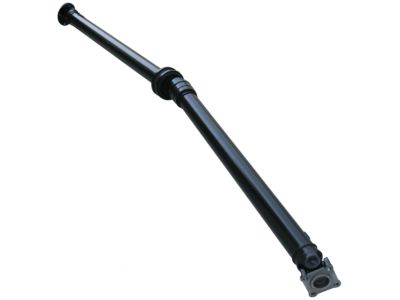
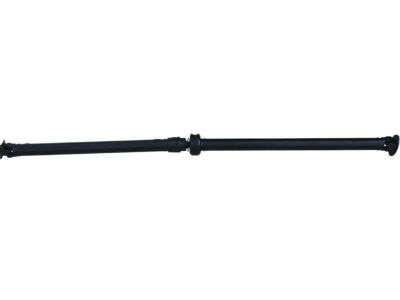
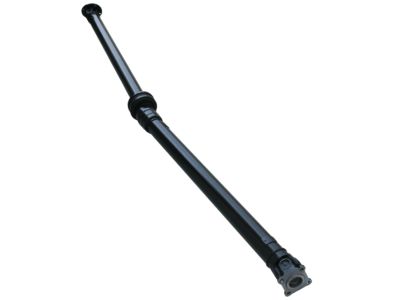
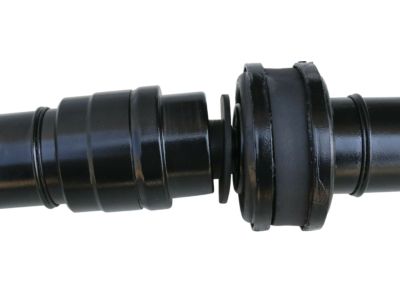
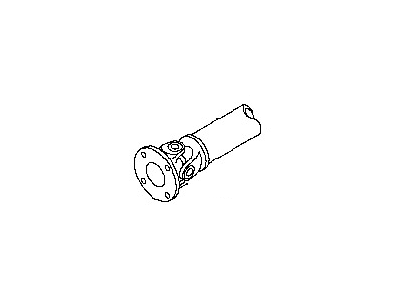
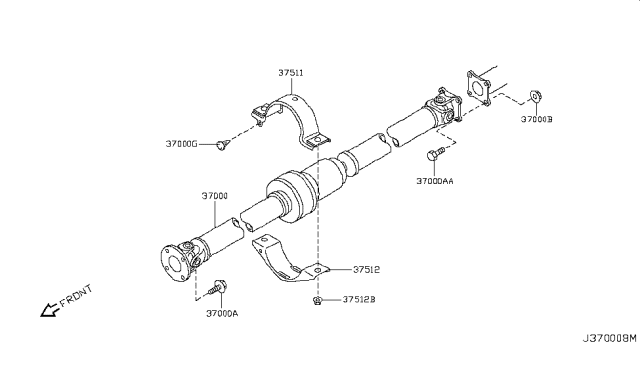
Nissan 37000-JM13A Drive Shaft

2008-2015 Nissan Rogue 37000JM13A

Customer Questions & Expert Answers (2)
37000-JM13A Nissan Drive Shaft Product Photo 1 of 4
  • Part Description
    Propeller Shaft Assembly
  • Lookup Code
    37000
  • Replaces
    37000-JM14A, 37000-JM100, 37000-JM10A
  • Manufacturer
    Nissan
Make sure this part fits
$834.38 MSRP: $1178.50
You Save: $344.12 (30%)
Ships in 1-3 Business Days
1
ADD TO CART
  • Related Parts
  • Specifications
  • Fitment
  • Q&A
  • Product Specifications

    BrandGenuine Nissan
    Lookup Code37000
    Manufacturer Part Number37000-JM13A
    Part DescriptionDrive Shaft; Propeller Shaft Assembly
    Item Dimensions7.4 x 7.3 x 88.7 inches
    Item Weight30.60 Pounds
    ConditionNew
    Fitment TypeDirect Replacement
    Replaces37000-JM14A, 37000-JM100, 37000-JM10A
    ManufacturerNissan
    SKU37000-JM13A
    WarrantyThis genuine Nissan part is guaranteed by Nissan's factory warranty.
    Shipping & ReturnShipping Policy Return Policy
    Warning: California's Proposition 65
  • Vehicle Fitment

    Year Make Model Trim & Engine Important vehicle option details
    2008-2015 Nissan RogueS, SL, SV|4 Cyl 2.5LQR25DE
  • Customer Questions & Expert Answers

    Q:
    I want to make sure this part fits my car.
    A:
    You can Select Your Vehicle to check if 37000-JM13A fits your vehicle.
    Posted and answered by Nissan Parts Specialist Troy
    Q:
    How to properly remove and install a Drive Shaft on the Nissan Rogue? Posted by Iris W.
    A:
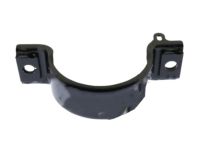
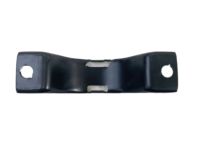
    Raise the rear of the vehicle and support it securely on jackstands, blocking the front wheels to prevent rolling. If concerned about a possibly bent driveshaft causing a vibration, mount a dial indicator to the floor of the vehicle and check the driveshaft runout in the middle of the front and rear sections. Turn the key On, shift the transaxle into Neutral, then turn the key Off and release the parking brake. Mark the relationship of the driveshaft flanges to the differential and transfer case flanges. Loosen the nuts of the center bearing brackets without removing them. Remove the flange bolts from each end of the driveshaft, using a tool in the u-joint to prevent turning while breaking the nuts and bolts loose. Remove the center support bearing nuts and take out the driveshaft, followed by the center bearing bracket from the driveshaft. For installation, reverse the removal process, attaching the center bearing bracket with the arrow facing forward and aligning the match marks made earlier as each end of the driveshaft is attached, then tighten the nuts and bolts to the specified torque values.
    You can Select Your Vehicle to see complete installation and repair tips.
    Answered by Nissan Parts Specialist Jorge / Sep 01, 2024

Genuine Nissan Part 37000-JM13A, the Right Choice

To ensure reliability, purchase Nissan part # 37000-JM13A Drive Shaft. It can be referred to as Drive Shaft. The first option would be to use OEM parts. Designed by Nissan manufacturer and are produced with stringent factory specifications, undergoing the quality control procedures. This part fits 2008-2015 Rogue.

NissanPartsDeal.com is a leading supplier of genuine Nissan parts and accessories, such as 37000JM13A Drive Shaft. Welcome to our vast selection of competitively priced genuine Nissan parts available online. We provide each OEM part with a manufacturer's warranty and a straightforward return policy. Place your order now and receive your parts quickly, shipped directly to your doorstep.

Why choose Nissan Parts Deal

  • Dedicated Service

    Your complete satisfaction is our #1 goal

  • Lowest Prices

    Best deals on genuine OE parts from dealerships

  • Fast Delivery

    Orders are processed and delivered promptly